Since it's so easy to create new things in Figma, I had to find a way to communicate why it's worth using what's already available first.
It's a common challenge: getting product designers to consistently use a design system when building something from scratch in Figma is so easy. Figma is a fantastic tool, but that freedom can undermine consistency across a product team. To tackle this, I built a simple workshop that introduces a little intentional friction to make the value of a design system click.
The activity: building with constraints
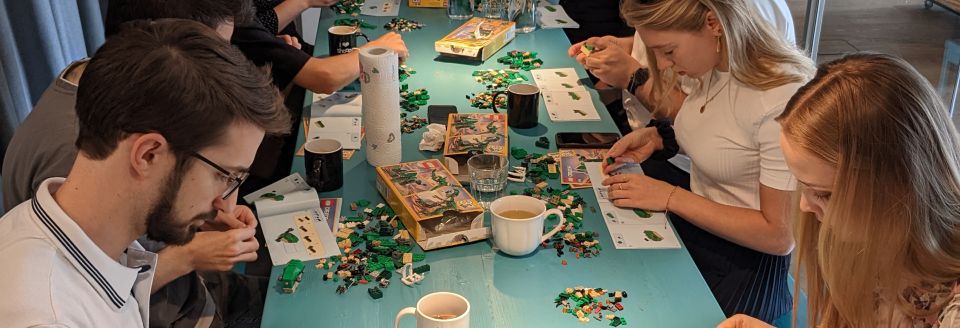
The workshop started first thing in the morning as a warm-up. As people trickled in with coffee, I handed each person a Lego set — I used the Lego Creator 3-in-1 Mighty Dinosaurs set (31058), though any small, contained set would work. They had about an hour to start building, and we'd regroup afterward.
There were a few questioning glances, but most people dug in straight away. The office kitchen had a large table, so everyone naturally gathered around it, chatting about what they were making. Most followed the instructions to build one of the three main models; a few went rogue and built their own thing. After an hour, we reconvened in the meeting room, models and refilled coffee cups in hand, ready to talk about design systems.
Getting the point across
Lego bricks are a good stand-in for the components in a digital design system — modular, easy to understand, and refittable into countless combinations. That mirrors a well-built component library.
The intentional friction was the point: designers were restricted to what was in the box. They couldn't grab pieces from a different set, and they definitely couldn't 3D-print their own. That limitation directly parallels the time and effort it takes to build a custom component in Figma instead of using one already in the system.
My role, as design-system lead, was to make sure the right pieces were in the box — clear instructions and examples of how the pieces fit together, like a Lego manual. Designers were encouraged to use those examples to build their own models, share them with the team, and inspire each other. If the team collectively decided a crucial piece was missing, it became my job to design and provide it — as modular and easy to use as the rest.
The exercise made "use what's available" easy to see and feel. From that day on, the design system became "the box" in conversation — a comment like "this piece should be in the box" carried a shared meaning everyone on the team instantly understood.
How to improve this workshop
- Add a collaborative challenge. After the first hour of individual building, introduce a task that needs the group to work together — build one large structure using pieces from every set. It surfaces the value of shared components and collaboration.
- Discuss the "why" in more detail. Ask open-ended questions during the debrief: what was easy, what was difficult, did you ever need a piece that wasn't there, how did you solve it? This connects the Lego experience back to their daily work in Figma.
- Create a shared "component library." Before the workshop, pool every set's pieces into one shared container. It better simulates a real design system, where all components are centrally available to the whole team from the start.
Have you used an unusual activity to explain a complex topic to your team? I'd love to hear about it.